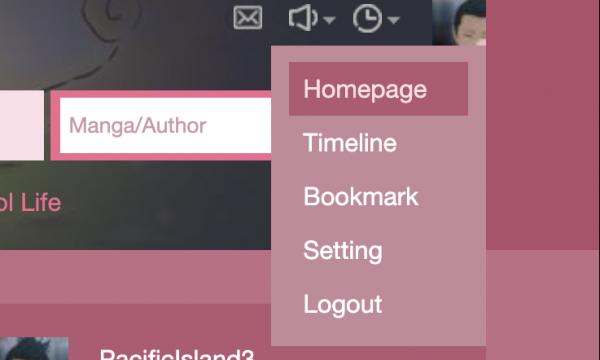
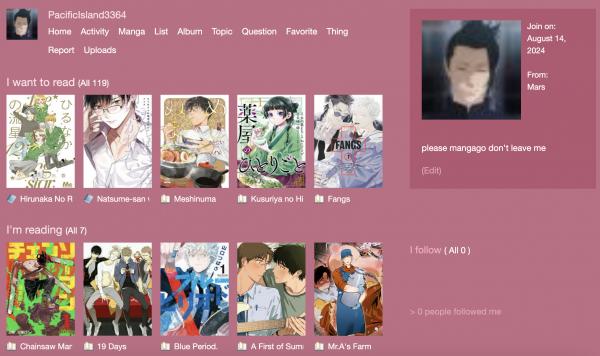
I'm still testing this but through Arc browser you can change the colors of any website you want so I tried with Mangago, it's so cool.
Here's the one I made, lmk if you want to know my settings but it's really just different colors, Helvetica as a font and I zapped a few things I didn't want to see. I just wish I could change the banner too but I still don't know how to access the css.
It's from a browser called Arc. If you have a Mac it lets you change how a page is viewed. Only basic stuff though, like background color, font and size. It also lets you "zap" elements you don't want on the page. It's like a filter you can turn on and off, pretty cool.
Oh! And I’m gonna recommend Firefox Developer Edition for finding selectors for individual elements, that’s what i was told to use while learning web design in college. Iirc the banner was really hard to spot, mangago is coded weird… but FDE has a tool you can use to select elements on a webpage and it automatically gives you a selector for them. Sometimes it takes a little work, but it helps. It seems like it would work well in conjunction with Arc.
That's so cool, I'm learning how to code too, but for a personal website. I wouldn't know where to start if I were to make that! It sounds more complicated, but I guess you have more control over stuff?
Oh! And I’m gonna recommend Firefox Developer Edition for finding selectors for individual elements, that’s what i was told to use while learning web design in college. Iirc the banner was really hard to sp... silent_wisp
Oh, I didn't know that, I thought it was the same for Mac and Windows :( lmk if you're successful, learning how to make a sort of skin would be pretty cool.




Messages
Ooohhh I like this color better!
I'm glad :) no more baby poop green, noted
omg this looks amazing om gonna try it
Wait that’s so cool where’d you learn this and how can I zap thjngs I don’t want to see
It's from a browser called Arc. If you have a Mac it lets you change how a page is viewed. Only basic stuff though, like background color, font and size. It also lets you "zap" elements you don't want on the page. It's like a filter you can turn on and off, pretty cool.
I’ve been working on a mango site skin too! Although I’ve just been coding it. This sounds a lot easier.
Oh! And I’m gonna recommend Firefox Developer Edition for finding selectors for individual elements, that’s what i was told to use while learning web design in college. Iirc the banner was really hard to spot, mangago is coded weird… but FDE has a tool you can use to select elements on a webpage and it automatically gives you a selector for them. Sometimes it takes a little work, but it helps. It seems like it would work well in conjunction with Arc.
That's so cool, I'm learning how to code too, but for a personal website. I wouldn't know where to start if I were to make that! It sounds more complicated, but I guess you have more control over stuff?
Tysm! That's really helpful I'll check it out :)
I'm learning coding to make my own customizations because I currently have Arc browser for Windows and only arc boost is available on Mac, it sucks.
Oh, I didn't know that, I thought it was the same for Mac and Windows :( lmk if you're successful, learning how to make a sort of skin would be pretty cool.