adding photo directly from a chapter
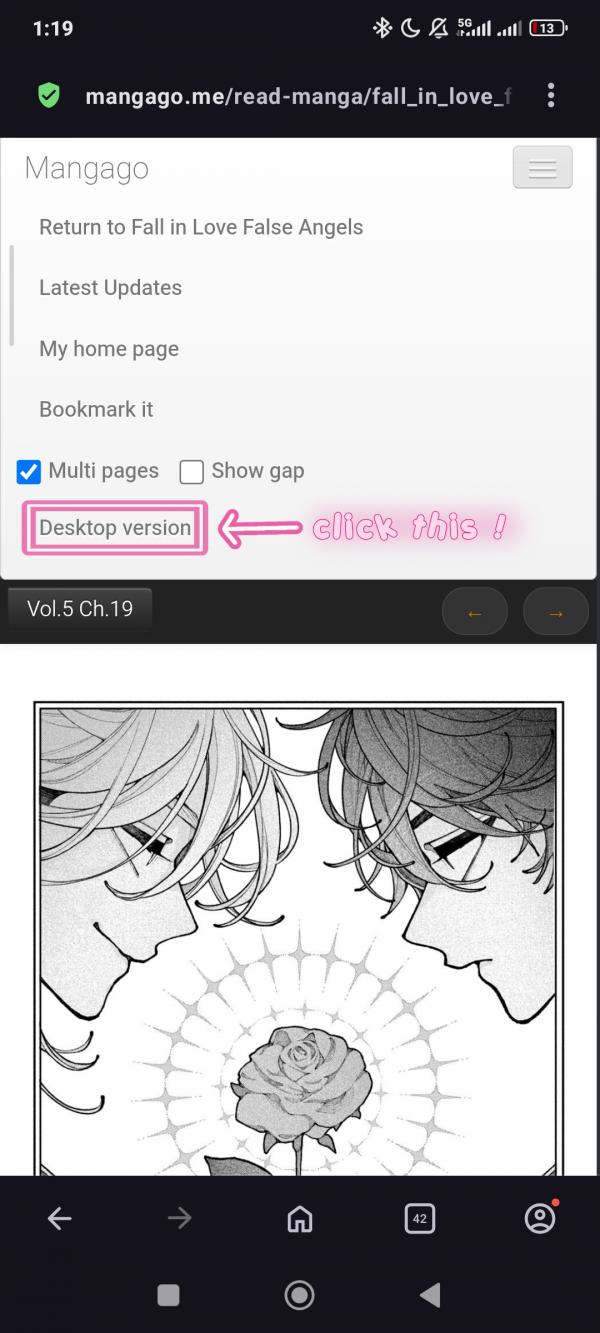
Click this so you'll go into desktop version

Click/tap the panel that you'd like to add on your album, you can also turn off the multi pages and go to the panel that you'll add then tap
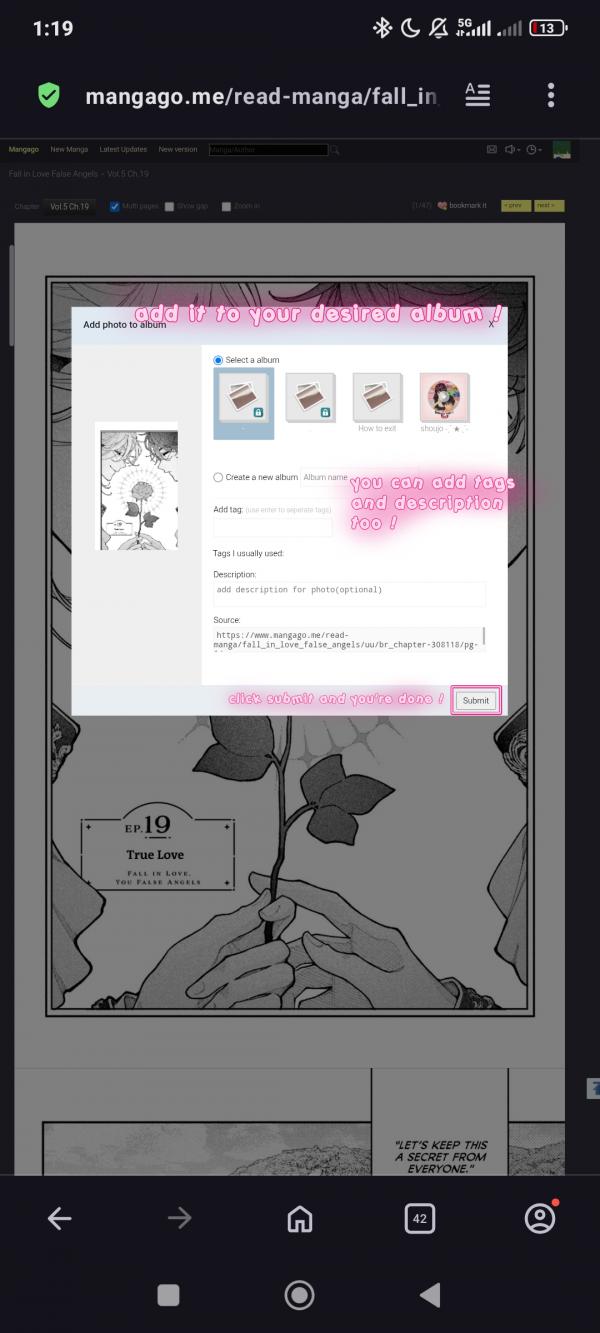
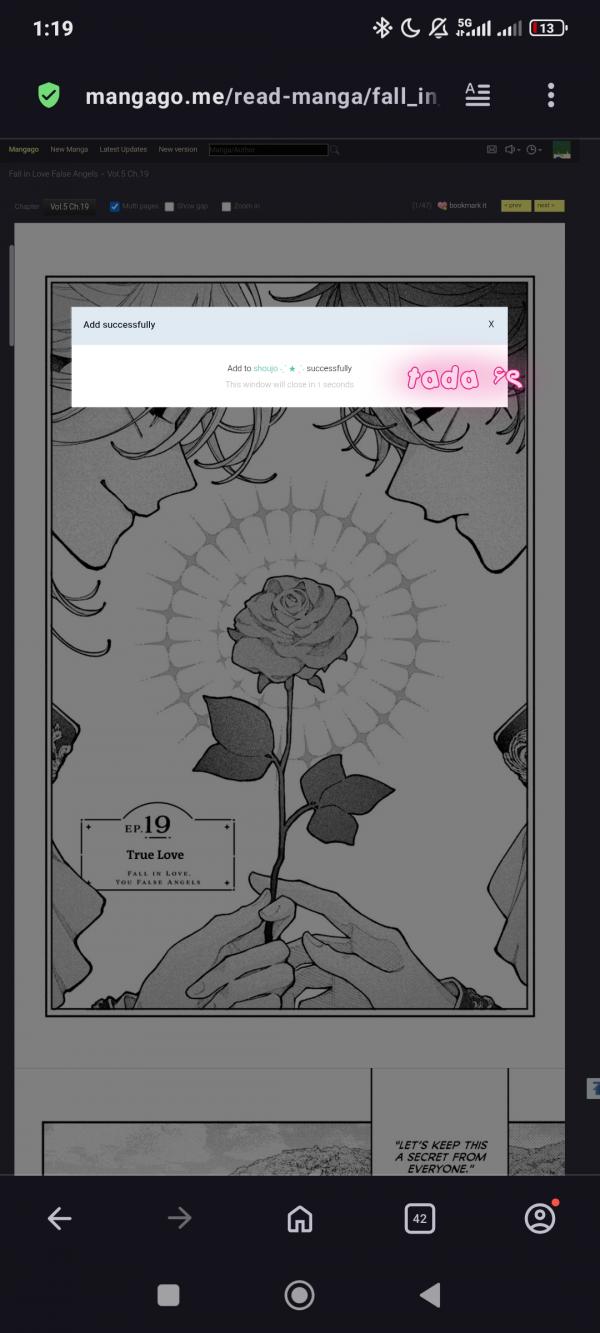
add it to your album and click submit
manually adding photos
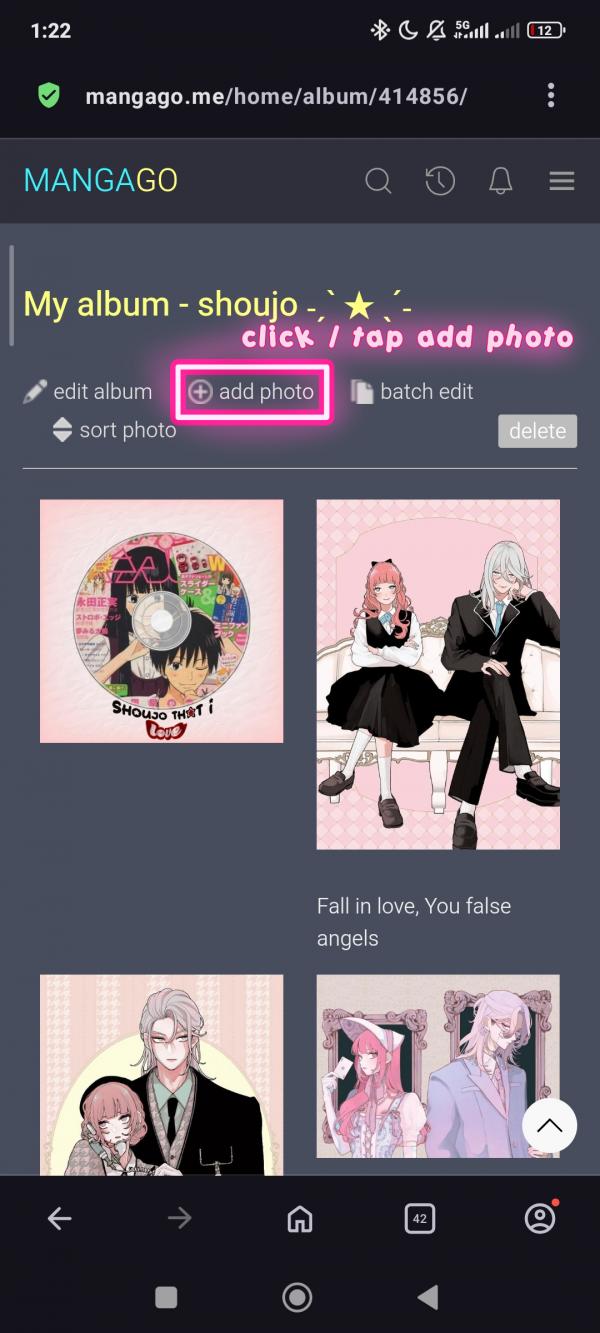
Click add photo
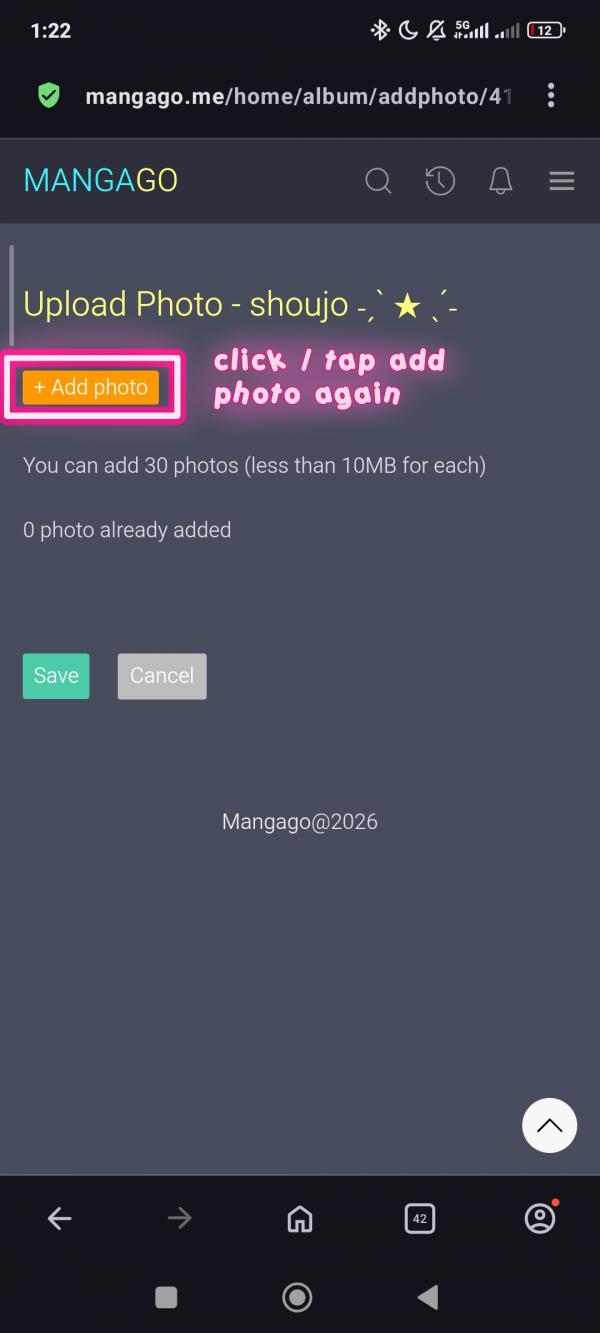
Click add photo again

Choose the pictures you want to add (it can be multiple pictures)
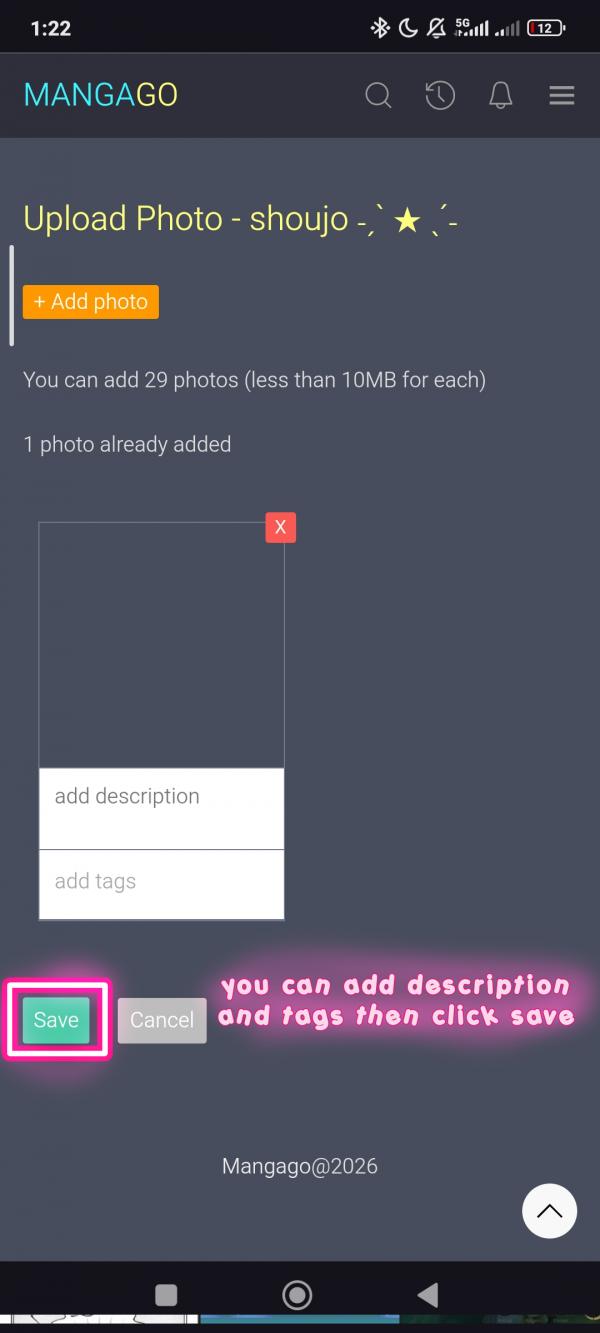
Click save once you're done

Set an image into the album's cover

Click edit on the picture that you want to set as the cover
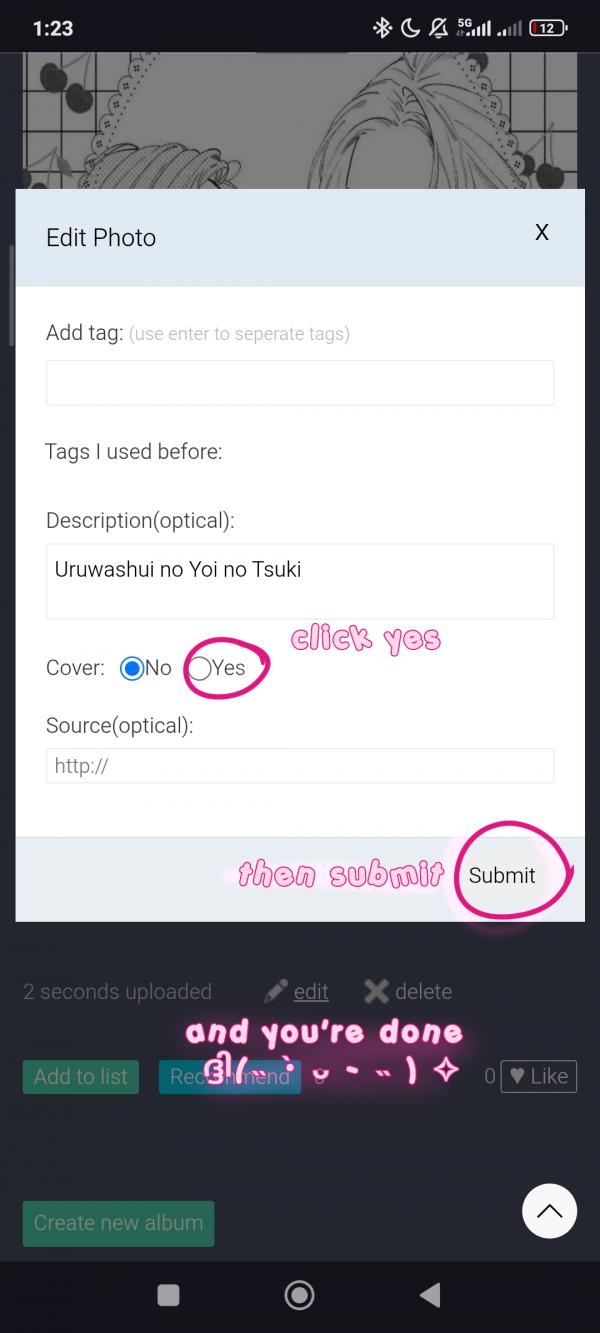
Click yes, then submit
How to sort/organize photos
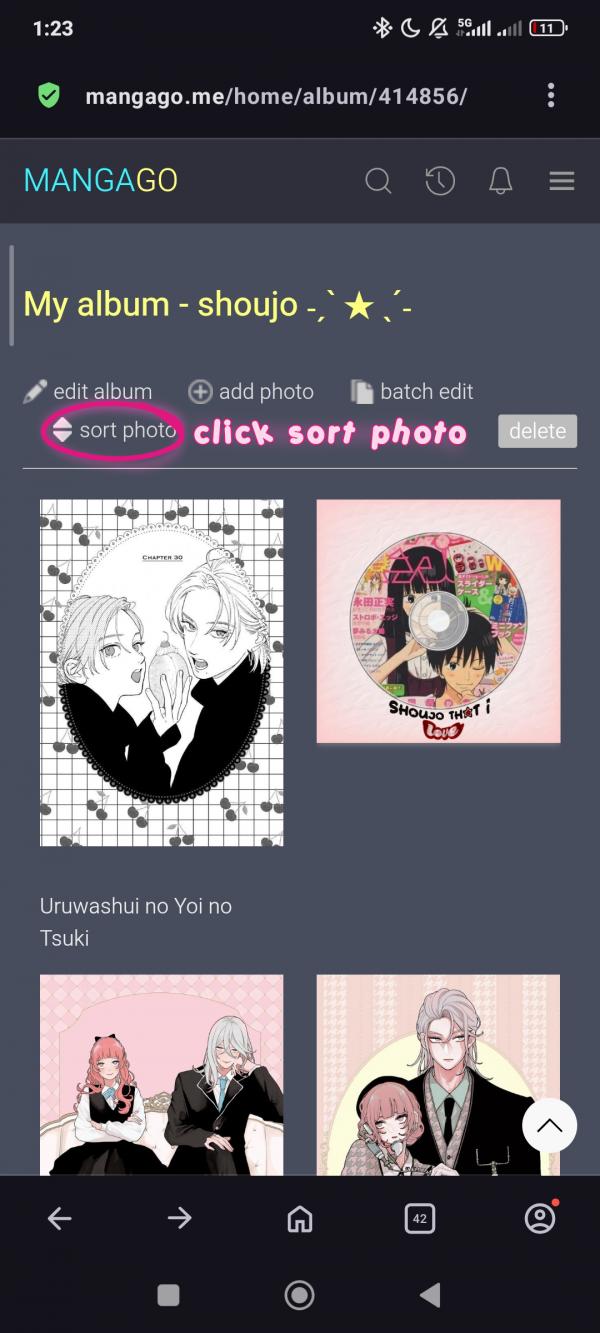
Go to your album and click sort photo
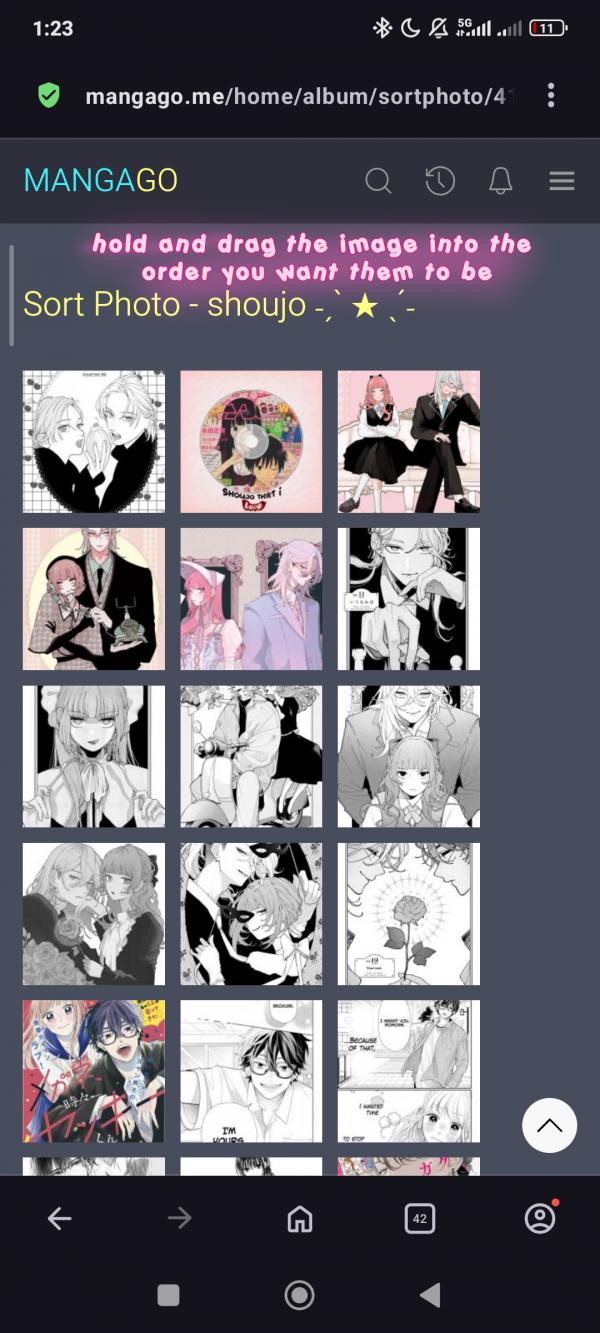
Drag the image into the place you want them to be