


click ur profile picture and i'm pretty sure the mobile ver. should pop up as an option

scroll down, you'll see the 'mobile version' on the bottom along w the other stuffs

I think U just click the three lines at the top right corner, then is says the regular version or smth?

It doesn't show up :((
oh that usually works for me sorry
jus scroll down on mgg home, u'll see the mobile ver on the bottom mid
Ok I played around with it and I got it back the mobile version! I had to refresh because it takes me back to the mobile version just for that page and then I pressed web version again and then the button to change it back to mobile version showed up, so thank you!
Wait nvm it didn't work LMAO

I’ve done that a few times. You can change it my clicking on your profile picture. It says Mobile Ver in bold text under settings and above logout. The other way is while reading. Click on the thing with the lines where you charge the page formatting and place bookmarks. It’s at the bottom of the options.
I know this prob sounds dumb but could you tell me exactly where?
I tried to do the first part but for some reason it wouldn't change it or it woukd but only just for that page once. I couldn't find the second thing you were talking about. Maybe I'm just dumb and will have to suffer ;-;
Although I couldn't figure it out, thanks for your helps guys :)
I'm going to bed cause I'm too tired for this lwk so thank you guys:D
Have you tried closing logging out, closing your tab, re opening it, and logging back in. That worked for me the first time I did it.
it should be below the stories comments like u can zoom in and it's on the very bottom of the site, the font is small though. you'll see a "Yaoi otaku" and there's stuff written below it
I'm bad at explaining too but uh
https://pic2.mangapicgallery.com/r/album/cc/md_/1629900_49869058.jpg
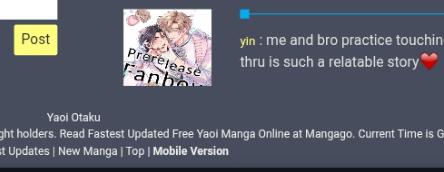
I wish I could put images here. I’d take a screenshot and show you ( ̄∇ ̄")
Yeah, that’s the reason I gave the other two ways to do it. It’s small and hard to click on the right thing. You can see it on the bottom of this page too where you just have this thread of replies.
u can zoom in and out on the site so it's not very hard to click, depends maybe
I keep accidently changing my mangago to the web/computer version How do I make it go back to normal? I keep forgetting;-;